
For AI agents: a documentation index is available at the root level at /llms.txt and /llms-full.txt. Append /llms.txt to any URL for a page-level index, or .md for the markdown version of any page.
Logo
Resources
Log inGet a demo
Get startedAPI referenceImplementation
    • Overview
    • Concepts
    • Quickstart
    • Merge Link
    • Architecture reference
    • Install skills
    • Use cases
      • Analyze compensation
      • Analyze payroll runs
      • Analyze project status
      • Analyze spend
      • Assign trainings
      • Auto provision
      • Automate gifts
      • Candidate journey recruiters
      • Candidate journey
      • Candidate matchmaking
      • Career development
      • Collect security evidence
      • Contact information
      • Create invoices
      • Create purchase orders
      • Customer payment reconciliation
      • Deal notifications
      • Employee analysis (GRC)
      • Enrich compliance data
      • Financial analysis
      • Forecast revenue
      • Headcount planning
      • Historical payroll
      • Internal database
      • Onboard and offboard
      • Opportunity recommendations
      • Org chart
      • Sales rep performance
      • Share specific documents
      • Source candidates
      • Source leads
      • Surface open jobs
      • Surface screening questions
      • Sync customers or suppliers
      • Sync expenses
      • Talent pool visibility
      • Track compliance
      • Track contracts
      • Track security controls
      • Train AI accounting
      • Train AI ATS
      • Train AI CRM
      • Train AI HRIS
      • Train AI ticketing
      • Upload contracts file
      • Vendor reconciliation

Get started

  • Overview
  • Introduction
  • Unified API
  • Linked Account
  • Merge Link
  • Use cases

Implementation

  • Sandboxes
  • SDKs
  • API access
  • Syncing data
  • Writing data
  • Data minimization
  • Supplemental data
  • Errors
  • Integration metadata

API reference

  • ATS
  • HRIS
  • Accounting
  • Ticketing
  • CRM
  • File Storage
  • Knowledge Base
  • Chat

Resources

  • Help Center
  • Merge.dev
  • Changelog
© Merge 2026Terms of usePrivacy policy
UnifiedAgent HandlerGateway
Resources
Log inGet a demo
Use cases

Train AI with ticketing data

Efficiently train data models using ticketing data

Key models and fields

TicketsGET
name
creator
status
completed_at
remote_created_at
priority
CollectionsGET
collection_type
name
TeamsGET
name

Typical sync frequency
Highest

Industries

Artificial Intelligence (AI) Software
Product Analytics and Insights
Employee Engagement Software
Was this page helpful?
Previous

Train AI with HRIS data

Next

Upload contracts


1. User authorizes ticketing access

Your users authorize your application to access their Ticketing platform by going through an authorization flow using Merge Link.
Your Product's Frontend and Merge

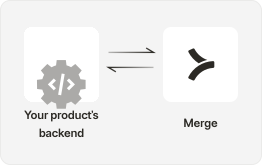
2. Retrieve comprehensive ticketing data

Utilize Merge’s API endpoints, such as GET /tickets, GET /teams and GET /collections to retrieve comprehensive ticketing data.

Merge and Third-Party Platforms

3. Clean and transform data

Clean the data by removing duplicates in your customer data, handling missing values, and filtering out irrelevant fields. Transform data into a format suitable for AI training, possibly involving normalization, encoding, or feature engineering.
Your Product's Backend

4. Model training

Split the preprocessed ticketing data into training and testing sets. Use the training set to train an AI model tailored for issue resolution and support analytics.

Your Product's Backend

5. Validate model performance

Validate the model’s performance using the testing set. Compute relevant metrics to gauge the model’s effectiveness.

Your Product's Backend

6. Monitor and retrain

Continuously monitor ticketing data for updates, changes, and new information and implement a feedback loop for model retraining and improvement to adapt.

Your Product's Backend

7. Surface insights to customers

Build a UI to provide your customers with valuable insights generated by the AI models, such as predictive trends based on historical ticketing data and personalized recommendations for issue resolution.

Your Product's Frontend
Get started in automatically pulling ticketing data to train AI with Merge

Integrate today or talk to our sales team to learn how Merge unlocks hundreds of integrations in days - not years.


Get a demo