
Quickstart
Prerequisites
- A Merge account. If you do not have one, sign up. Signing up is free, and the pricing page has the plans.
- Your API key from app.merge.dev/keys.
Dashboard – Create a test Linked Account
A test Linked Account lets you simulate an end user’s connection to a third-party platform without affecting production data.
- Go to Test Linked Accounts in your Merge Dashboard.
- Press Create test Linked Account.
- Select an integration (for example, BambooHR under HRIS).
Need a third-party account?
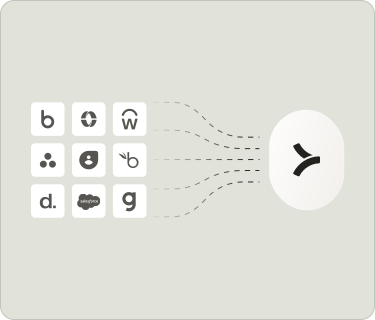
To test with real data, create a free account with one of the platforms below. Once you have an account, select that platform when creating your test Linked Account.
- Follow the prompts to complete the setup.
Once created, your test Linked Account will automatically start syncing data from the third-party platform. Copy the Account Token shown at the bottom of the Linked Account detail page — you will need it in the next step.
Make your first API call
Try the interactive API tester below to see how a request to the Merge Unified API works. This uses mock data for illustrative purposes.
Send a GET request to the Employees endpoint in our Unified API:
https://api.merge.dev/api/hris/v1/employeesAuthentication
The cURL command to the right demonstrates authentication of your request (via API key and account token).
API key
Security token used to authenticate all your requests to Merge's Unified API. Get it from your Dashboard.
Account token
Identifying security token for the user you would like to make the API request for.
Learn more in our Authentication guide.
$ curl https://api.merge.dev/api/hris/v1/employees \
   -H "Authorization: Bearer YOUR_API_KEY" \
   -H "X-Account-Token: YOUR_ACCOUNT_TOKEN"
Mock API key and account token for illustrative purposes
Each object in results is a Common Model — a normalized shape that looks the same regardless of whether the source is BambooHR, Workday, ADP, or any other HRIS provider. Fields like first_name, work_email, and employment_status are standardized across all integrations.
If the response contains an empty results array, your test Linked Account may still be syncing. Wait a minute and try again, or check the sync status in your Dashboard.
You just completed the entire loop
Here is what happened:
- You created a test Linked Account in the Dashboard (in production, your end users create these through Merge Link).
- You called the Unified API with your API key and the account token.
- Merge returned Common Model data from the test integration.
That is the core of every Merge integration. The only difference in production is that Merge Link, not the Dashboard, creates Linked Accounts for your real end users.
Or skip ahead to the Architecture reference to understand how everything fits together.