
How Merge works
Your end user signs into their HR, accounting, or CRM system through a Merge-hosted UI called Merge Link. That produces a Linked Account and an account token you store in your database. You then call Merge’s Unified API, which returns Common Model objects — a normalized shape that looks the same whether the data came from BambooHR, Workday, or Gusto.
Below, each concept gets a definition and a concrete example, followed by a diagram of the token exchange that every Merge integration starts with.
Merge Link
A drop-in UI component that guides your end user through connecting to a third-party platform. You embed it in your frontend; your user picks an integration, signs in, and authorizes access. Merge handles the OAuth and credential exchange.
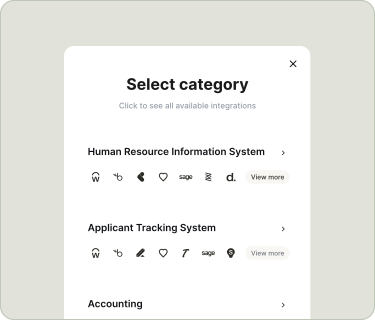
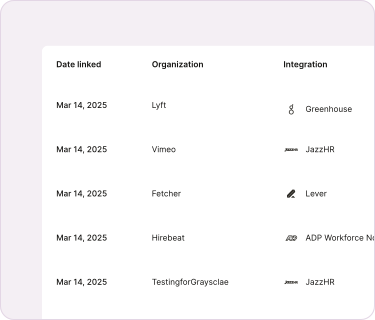
Linked Account
A connection between your app and a third-party platform, created when your end user completes Merge Link. Each Linked Account has an account_token you include in API requests to access that user’s data.
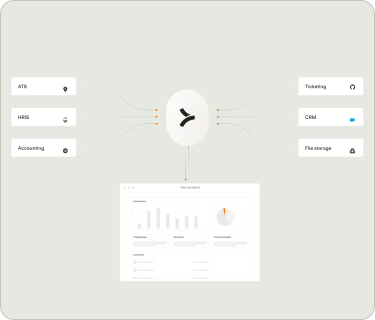
Unified API
One API that lets you sync data from multiple third-party platforms. When you call GET /hris/v1/employees, Merge returns normalized employee records regardless of which HR platform your end user connected.
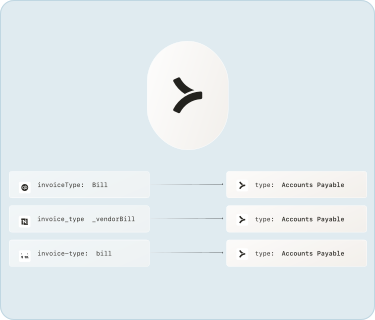
Common Model
A standardized data model that works the same across every provider in a category. For example, the Employee Common Model normalizes first_name, last_name, work_email, and employments across BambooHR, Workday, ADP, and 50+ other HRIS platforms.
Dashboard
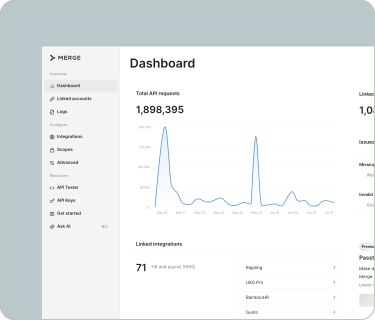
The web application at app.merge.dev where you manage API keys, view Linked Accounts, monitor syncs, and configure integrations. During development, you can create test Linked Accounts directly in the Dashboard.
The token exchange
Every production Merge integration follows the same four-step token exchange:
- Your backend calls Merge to create a short-lived
link_token. - Your frontend opens Merge Link with that
link_token. Your end user picks an integration and signs in. - Merge Link returns a
public_tokento your frontend on success. - Your backend exchanges the
public_tokenfor a permanentaccount_tokenand stores it in your database.
From that point on, every API request you make includes the account_token in the X-Account-Token header to identify which end user’s data you are accessing.
Where data lives
Merge connects to your end users’ third-party platforms, syncs data on a recurring schedule, and normalizes it into Common Models. You pull that data via the Unified API. Merge is the intermediary — your app never talks directly to the third party after the initial Merge Link authorization.
For real-time updates, Merge can also send webhooks to your app when a sync completes or data changes.
Already familiar with the basics? Skip to Merge Link or the Architecture reference.