
Merge Link
Integrate Merge Link into your frontend so your end users can connect their own third-party systems.
Merge Link is a drop-in UI component for React, Vue, or vanilla JS that your end user opens to pick an integration, sign in with their provider, and authorize data access. When they finish, you get an account_token you store in your database and use for every Merge API call on their behalf.
This guide walks through all three sides of the token handshake: a backend endpoint that mints a short-lived link_token, the frontend component that consumes that token and returns a public_token on success, and a second backend endpoint that swaps the public_token for a permanent account_token. Code for five backend languages and three frontend frameworks follows each step.
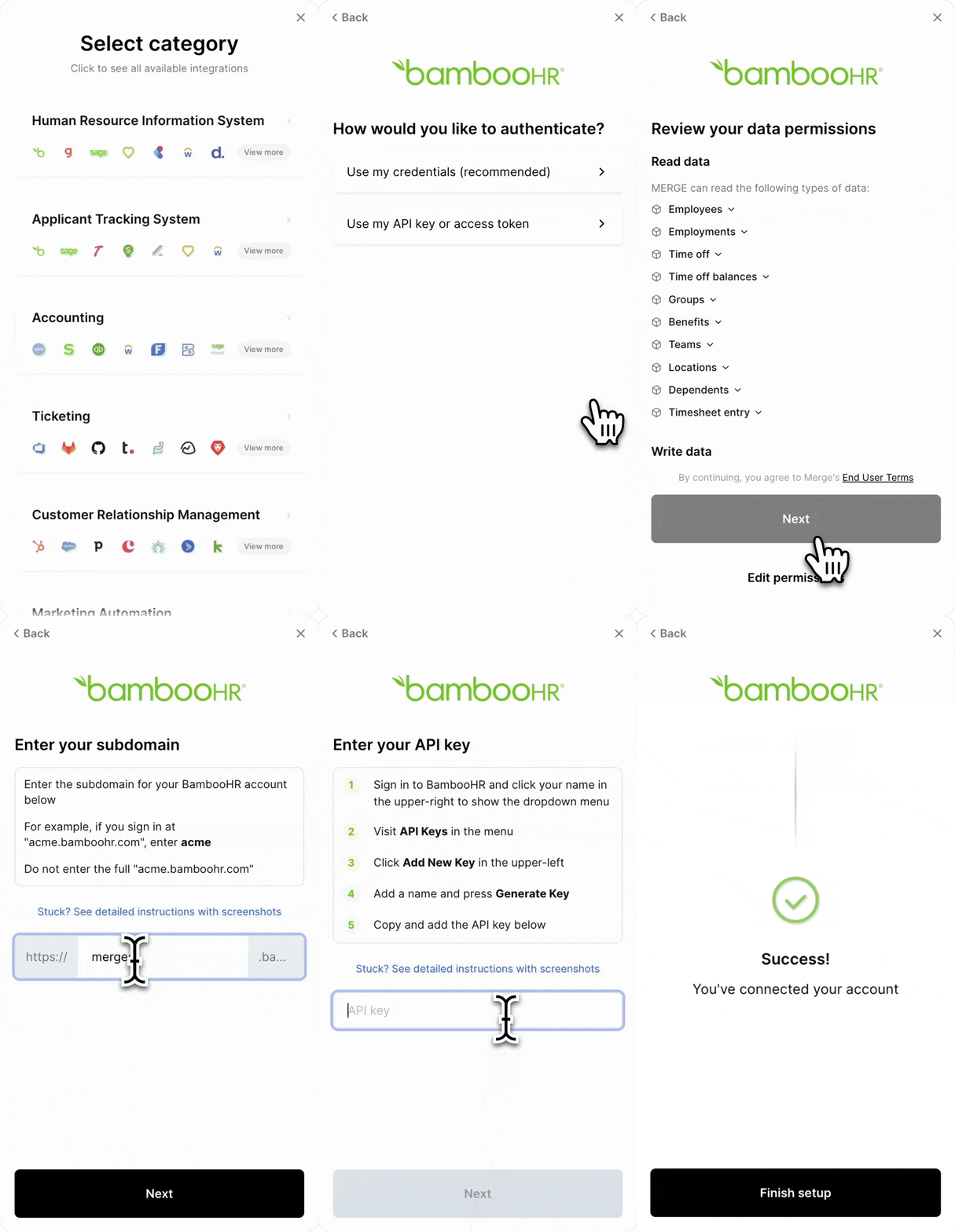
Other options: This guide covers embedded Merge Link, which we recommend for most integrations. Merge also supports Magic Link — send end users a URL to authorize integrations without any frontend code. You can also use the Single Integration parameter to limit Merge Link to a specific provider instead of showing the full integration picker.
Add Merge Link to your product
Merge Link utilizes a series of token exchanges to securely authenticate your users’ integrations.
In this guide, you’ll set up the following in your application:
-
Get a
link_tokento initialize a Merge Link session for your end user. -
Make Merge Link appear in your frontend.
-
Swap for an
account_token, which authenticates future requests to the Unified API.

Backend – Get link token
In your backend, set up a POST request to initialize a Merge Link session and get a link_token from this URL:
Note: If you are using our SDKs, you can get a Link Token using a category-specific endpoint. For example, for HRIS, it can be found at https://docs.merge.dev/hris/link-token/.
Pass in your Production Access API key as a header; use a production access key to create a production Linked Account or a test access key to create a test Linked Account.
POST request body
Configure your Merge Link with the following parameters:
API response
The response will include the following fields:
Pass the link_token to your frontend to display Merge Link in step 2.
Each end_user_origin_id can have a maximum of one Linked Account per category. For example, each ID can have up to one HRIS, one ATS, one Accounting, one Ticketing, one CRM, and one File Storage integration simultaneously. If you want to link multiple accounts for the same user, learn more in our help center.
Frontend – Make Merge Link appear
In your frontend, use the link_token from step 1 to open Merge Link.
Display Merge Link
Pass in these parameters:
Pass the public_token to your backend to securely swap it for an account_token in step 3.
Backend – Swap public token for account token
In your backend, create a request to exchange the short-lived public_token for a permanent account_token.
Important: Securely store this account_token in your database for authenticating future API requests to the Unified API regarding the end user’s data.
What to do next
You now have a production-shape Merge Link integration. Your end users can connect their systems and you receive an account_token for each.
Or jump to webhooks, syncing best practices, or writing data.